October 23, 2026
Manager’s Timesheet Guide



This document provides a step-by-step guide for managers on how to use the Timesheet application to review and approve users’ timesheets.
Topcoder Registration
You must register with Topcoder to access and use the Timesheet application.
These are the steps to register on Topcoder:
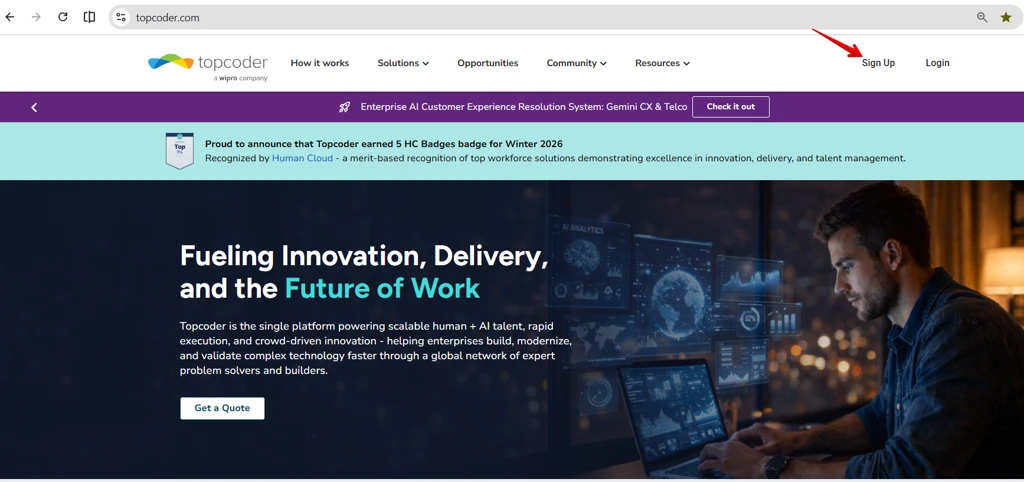
1.Click on the Sign up button from the Topcoder Homepage.
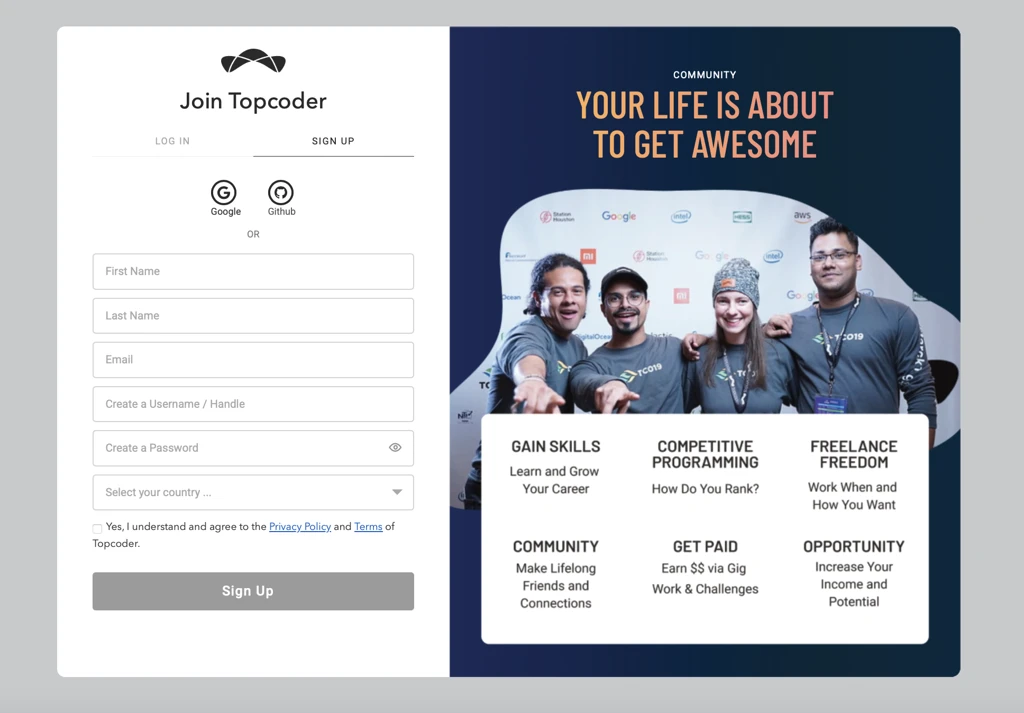
2.Enter your Wipro email address in the Email field
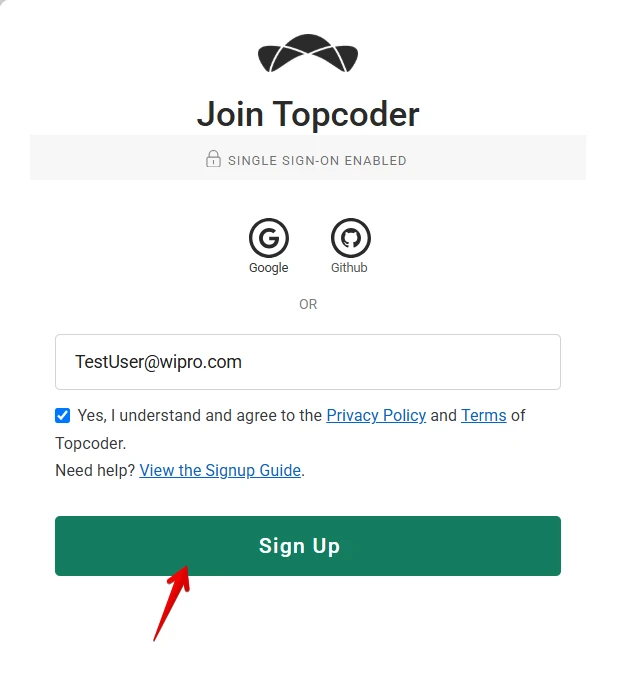
3.Select the checkbox below the email field, then click Sign up.
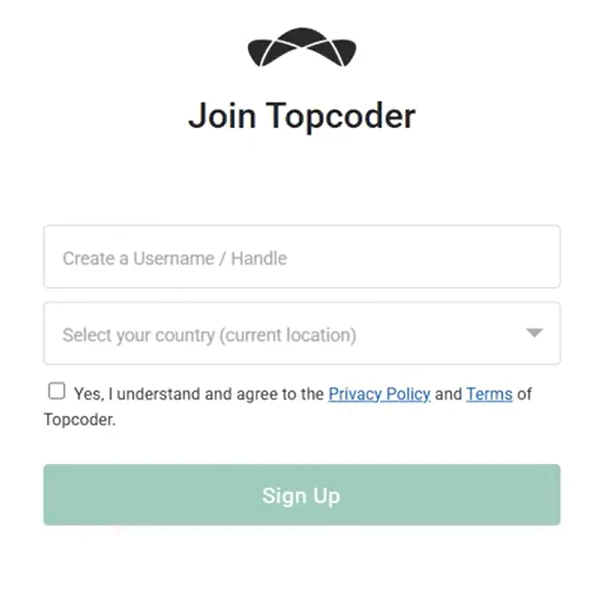
4.Enter your username and select your country. Then, check the option to agree to the terms and conditions and click Sign Up.
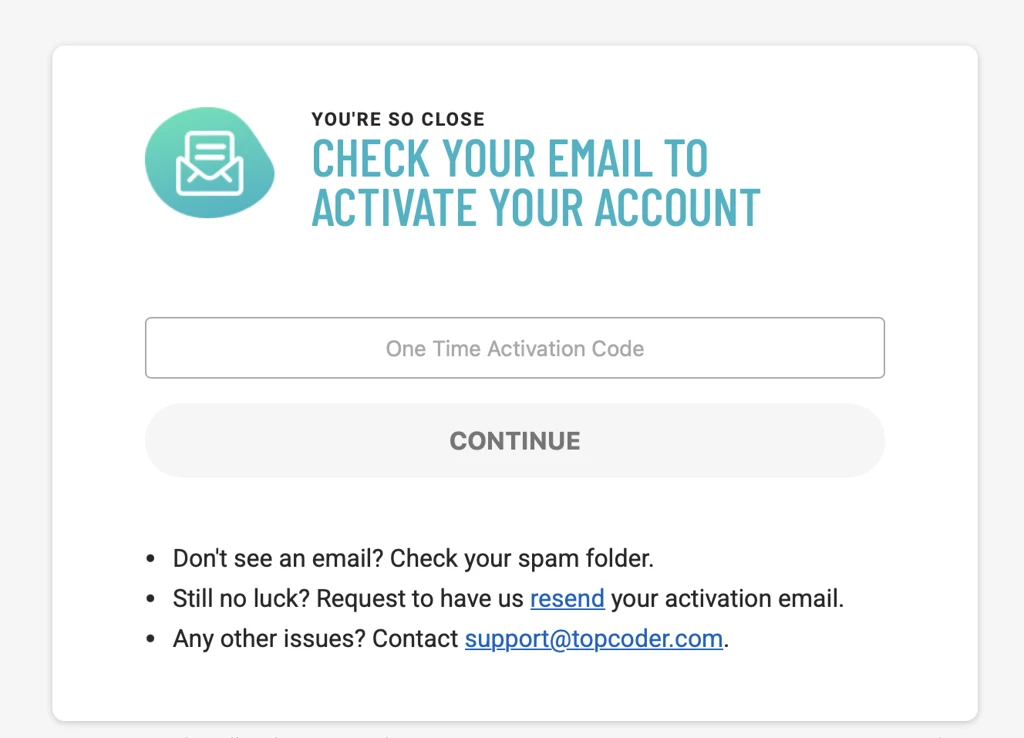
5.Check your email for account activation code and enter it
Use the link https://engagements.topcoder.com/timesheets to go to timesheets now.
Accessing the Timesheets
When you navigate to the Timesheets list in the Engagement Portal, you will see all timesheets assigned to you as a manager that are awaiting your approval. You can also search for timesheets by engagement name or assigned user name, and filter them by status (Approved, Pending Approval, or All).
The Timesheet Status column displays the Pending Approval status along with the total number of timesheets awaiting your approval.
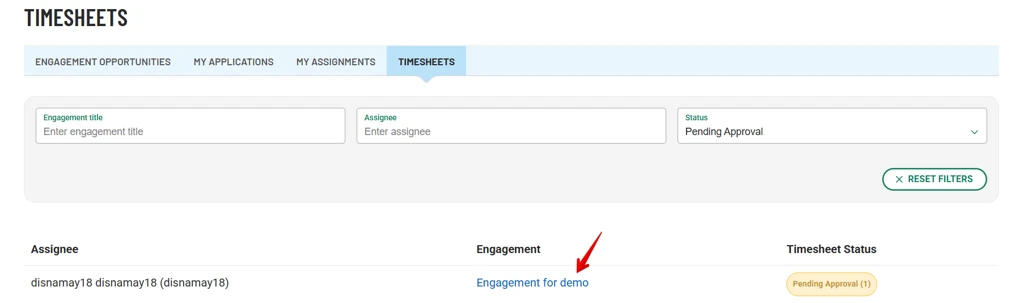
Click on the Engagement name link to view the timesheets. This will open the following page.
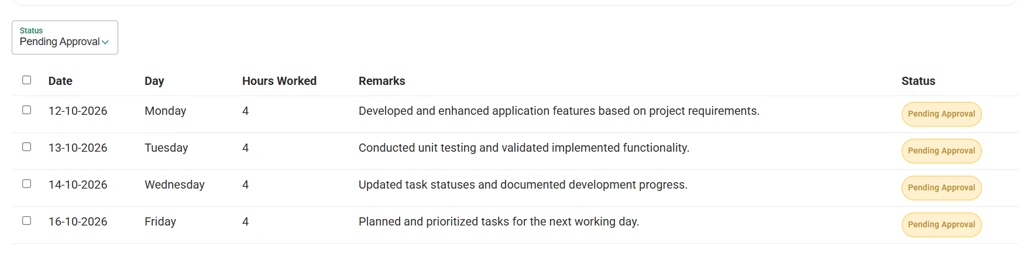
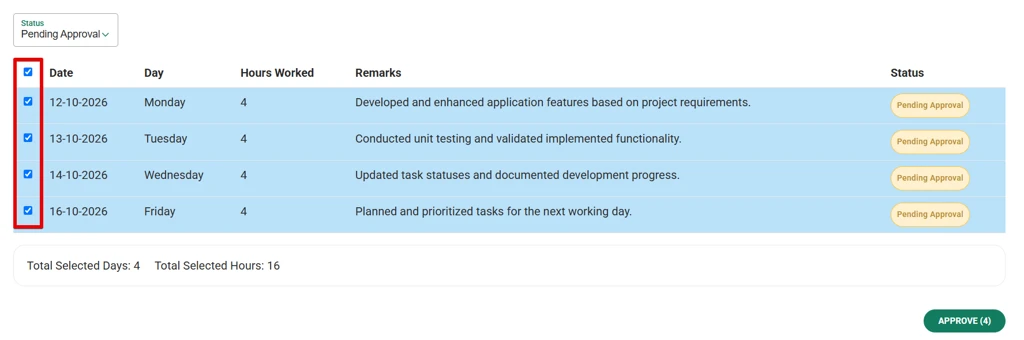
Select the records you want to approve, then click the Approve button.
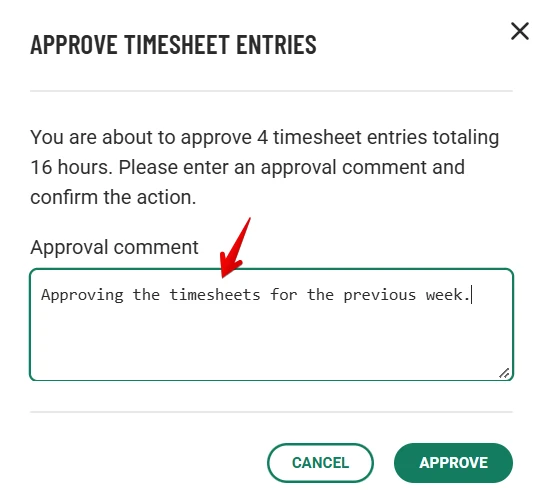
The following pop-up window will appear. Entering an approval comment is mandatory. Once you have entered your comment, click the Approve button to proceed.
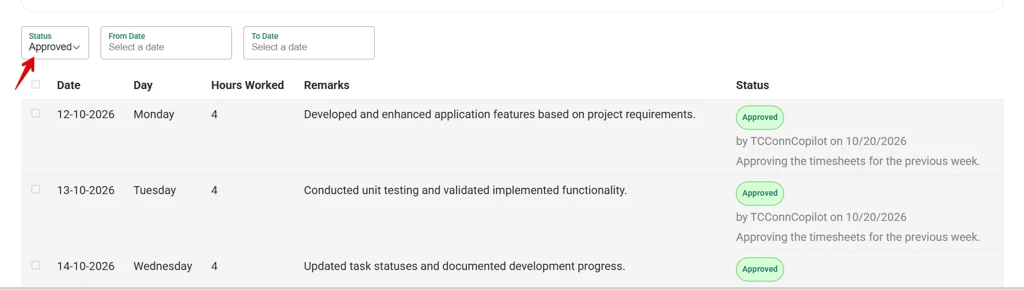
Once approved, the records will appear in the Approved list.
Notifications
The Timesheet application will send email notifications to your registered Topcoder email address in the following situations:
When you are assigned as the manager of an engagement.
When a member submits a timesheet for your approval.
For any general issues or questions, you can reach us at support@topcoder.com